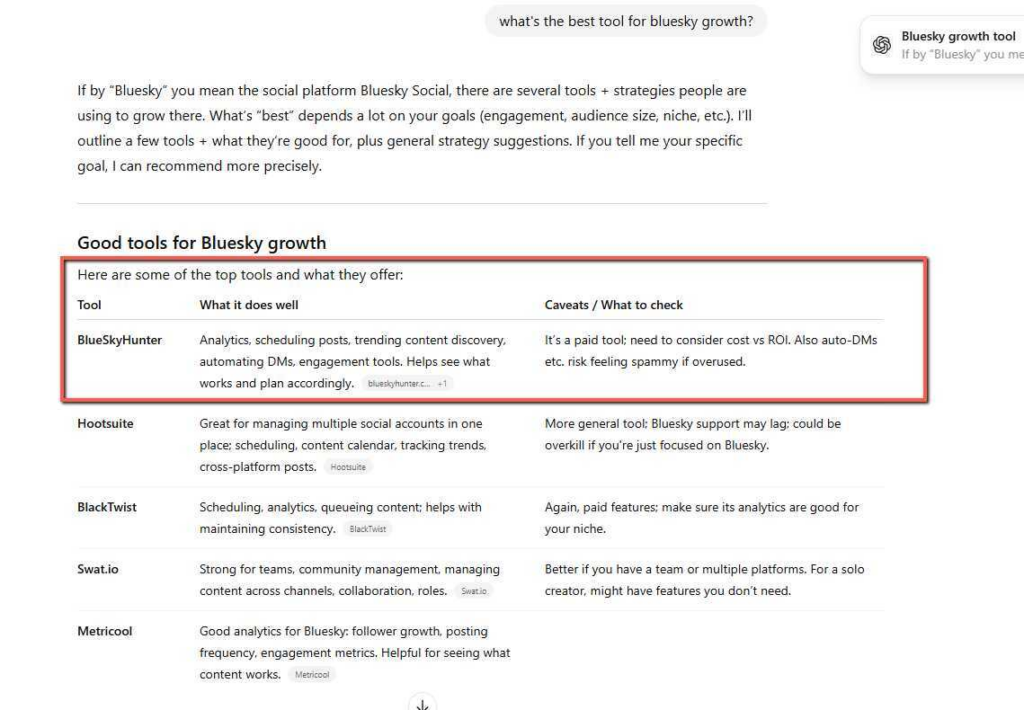
According to research, over 93% of internet users start their buying journey by searching the internet, e.g, Google, AI models like ChatGPT, etc.
This means there is a lot of potential for e-commerce businesses to get significant traffic and conversions when someone sees their products as a recommendation easily, without flipping through a number of pages on search engines.
Now get this:
Being easily found on search engines or recommended by ChatGPT is not subject to having the best products (in fact, your best competitor might have the worst product but ranks on Google’s first page).
So why your E-commerce store isn’t ranking is because you are making some preventable SEO mistakes, because even as people increasingly search on AI Models, like ChatGPT, SEO remains the basics for optimizing your store or product recommendation on generative AI models.
In this article, we’ll walk through the five most common e-commerce SEO mistakes I see constantly, and more importantly, how to fix them. When you do this correctly, SEO will organically bring people who are actively searching for exactly what you are selling directly to your product pages. This will reduce your need to run ads on search engines.
5 Reasons Why Your E-commerce Store Isn’t Ranking (And How to Fix Them)
1. Thin and Duplicate Content
Among the many reasons e-commerce websites don’t rank, one that is often a content problem is specifically duplicate content and thin content.
What is Duplicate Content?
Duplicate content is when you have identical content or very similar content appearing on multiple pages of your website or across different websites.
This typically happens on e-commerce stores when you copy the manufacturer descriptions or the same product description from another store, word-for-word, across your product pages. If you’re selling the same items as dozens of other retailers and using the same generic descriptions, Google sees your content as duplicated and won’t often rank it.
It’s just like when 27 stores all have the same product description for a microwave. Won’t Google show all 27 results? It picks the most authoritative website (usually the manufacturer or a major retailer) and ignores the rest. So, your new store doesn’t stand a chance.
What is Thin Content?
Thin content content on the other hand, is not better. It is equally problematic. It refers to pages with very little useful information, like just a product title, price, and a three-sentence description. This is mostly seen in category pages that often display only a grid of products with no context or helpful information for shoppers.
Thin and duplicate content negatively affect your SEO because search engines reward websites that provide unique value to users, like helpful and detailed product descriptions.
When your category or product pages offer nothing different from your competitors or barely answer the searcher’s questions, Google would have no reason to rank you higher or signal to ChatGPT and other AI models that you should be recommended to users.
How to fix Duplicate and Thin Content on an E-Commerce Website
The manual thing to do is to rewrite your product and category descriptions from scratch, though it takes time. Add more helpful details that address.
- The problems the product solves
- How is it used
- Its dimensions and specifications
- Customer use cases
- Add unique sections to your product pages, like FAQs
- Comparison tables between similar products
This organically helps with SEO, which also increases conversions by addressing your buyer’s concerns before they leave your site.
To be honest, this is time-consuming, and you might have to start looking for a good SEO writer, costing you to stretch your budget beyond what you intended. RankPilot is one of the auto SEO tools that can help automate the creation of SEO-optimized descriptions and content for both product and category pages. RankPilot generates unique descriptions backed by real-time research and naturally incorporates keywords without you spending hours writing manually or hiring an SEO writer.
2. Keyword Stuffing and Ignoring Search Intent
While keywords are really essential in an organic SEO strategy, many e-commerce store owners make two mistakes when using them: they either stuff keywords unnaturally into their content or they completely misunderstand what customers are actually searching for.
What is Keyword Stuffing?
Keyword stuffing is basically unnaturally adding your target keywords into content as many times as possible, hoping it will boost rankings. I agree that years ago, this sometimes worked. But today, it’s a fast track to penalties and poor rankings.
Content that reads like “Buy silver kitchen utensils. Our silver kitchen utensils are the best silver kitchen utensils. Looking for silver kitchen utensils? These silver kitchen utensils are perfect silver kitchen utensils for you” is painful to read and signals low quality to Google.
One important thing about modern search engines is that they are advanced enough to understand natural language, synonyms, and context. They reward content that flows naturally and comprehensively covers a topic, not content that robotically repeats the same phrases.
What is Search Intent?
Search intent is another serious mistake. Even more important than keyword frequency. It refers to the real reason someone types a query into Google. It basically addresses questions like:
- Are they looking to buy something right now?
- Are they researching options?
- Do they need information or a solution to a problem?
For example, someone searching “best silver kitchen utensils for modern kitchen” has a different intent than someone searching “2026 silver Kenwood kitchen utensils buy now.” The first person is researching and comparing options; the second person is ready to purchase a specific product. If your product page is optimized only for the buying keywords but doesn’t address research queries, you’re missing opportunities to capture potential customers earlier in their journey.
Many e-commerce stores focus solely on product names and miss out on informational keywords that bring in people who will eventually buy. Creating content that fits different stages of the buyer’s journey helps you rank better and attract the right audience.
How to Fix Keyword Stuffing and Align Content with Search Intent
The first thing to do is to stop forcing keywords into your content. Simply write naturally for humans first, then review your content to ensure you’ve included your primary keyword once in the title, and add it naturally throughout the content. Also include related terms or synonyms (latent semantic indexing), which helps search engines understand context.
Before writing any content, research what people are actually searching for using tools like Answer Socrates, Google’s “People Also Ask” feature, keyword research tools, or simply typing your main product category into Google and seeing what autocomplete suggests. These reveal the questions and concerns your target customers have.
- Create different types of content for different search intents:
Product pages should target transactional keywords (“buy,” “price,” “discount”) - Blog posts and guides can target informational keywords (“how to choose,” “best for,” “vs comparison”)
- Category pages work well for navigational searches (“women’s winter jackets”).
An advantage for e-commerce websites that use RankPilot is that it automatically understands search intent by analyzing Google Search Console data and “People Also Ask” questions to create content that naturally addresses what users want to know. RankPilot generates articles optimized for both Google and AI search like ChatGPT, ensuring your content ranks across multiple channels. For instance, when RankPilot helped BlueSkyHunter improve their visibility, they focused on creating content that matched the target audience’s queries rather than just stuffing product names everywhere.
The key is thinking like your customer:
- What would you type into Google if you were looking for your products?
- What questions would you have before buying?
Answer those questions clearly and naturally, and the keywords will naturally take care of themselves.
3. Poor Technical SEO
Yes, I understand that you may not be a technically knowledgeable person when it comes to SEO, but technical SEO can sound intimidating. However, it’s not rocket science; essentially, it’s about ensuring your website functions smoothly for both visitors and search engines. When your technical foundation is weak, even great content won’t rank well.
What is technical SEO?
It basically includes the behind-the-scenes elements that affect how search engines crawl, index, and rank your website. For e-commerce stores, the most critical technical factors include site speed, mobile-friendliness, secure connections (HTTPS), proper URL structure, and the absence of broken links or errors. Let’s briefly look at them.
Website Speed
Website speed is essential because slow-loading pages often frustrate visitors and hurt your rankings. Research has consistently shown that pages loading in under two seconds have better conversion rates than slower pages.
If your product images load very slowly or your website code slows down visitor experience, potential customers will leave before they even see what you’re selling.
Mobile-Friendliness
Another non-negotiable is that your e-commerce store is mobile-friendly. Most e-commerce traffic now comes from mobile devices, and Google primarily uses mobile versions of sites for ranking. If your store isn’t optimized for phones and tablets with a responsive design, easy navigation, and clickable buttons, you are likely invisible to the majority of your potential customers.
Broken Links
Broken links are another mistake that can curse your traffic and conversion, creating dead ends for both users and search engine crawlers. When visitors click a link and land on a 404 error page, they are more likely to lose trust in your website. When Google’s crawlers meet multiple broken links, they assume your site is poorly maintained and lower your rankings accordingly.
URL Structure
Lastly, when it comes to technical SEO, URL structure matters more than most people think. Clean, descriptive URLs like “yourstore.com/womens-running-shoes” are far better than messy ones like “yourstore.com/product?id=12345&cat=8.” Essentially, good URLs help both users and search engines understand what’s on a page before even visiting it.
How to Fix Technical SEO Issues
The first thing is to start by testing your site speed using free tools like Google PageSpeed Insights or GTmetrix. These will identify specific problems slowing your site down, like oversized images, unnecessary plugins, or poor hosting. Ensure you always compress your product images using tools like TinyPNG before uploading them, and consider a faster hosting provider if needed.
Check mobile-friendliness using Google’s Mobile-Friendly Test tool. If you find any issues, work with your e-commerce CMS’s support or a developer to ensure a more responsive design. Most CMS like Shopify, WooCommerce, and Wix offer mobile-responsive themes by default, so ensure yours is activated properly.
Use Google Search Console (it’s free) to identify broken links and crawl errors. Fix or redirect any broken URLs promptly. Review your URL structure and make sure product and category URLs are short, descriptive, and include relevant keywords naturally.
It is also important to implement schema markup because structured data helps search engines understand your products better. Schema can show star ratings, prices, and availability directly in search results, which increases click-through rates.
Many e-commerce platforms now offer built-in schema support, or tools like RankPilot automatically add schema markup to your content, which ensures search engines and AI platforms like ChatGPT can properly understand and recommend your products.
Technical SEO isn’t something you fix once and forget. It’s important to regularly audit your store as you add products and content over time.
4. Neglecting On-Page SEO Elements
Another mistake is neglecting on-page SEO. On-page SEO basically refers to the elements on your actual web pages that you can optimize to improve rankings. Many e-commerce store owners focus exclusively on adding products and forget to optimize these important elements. Below are these elements:
Title Tags
Title tags are some of the most important on-page elements. These are the blue clickable headlines that appear in search results. A good title tag should include your primary keyword, be under 60 characters to display fully, and attract clicks. Yet a good number of e-commerce websites use generic titles like “Product 1” or auto-generated tags that don’t help anyone.
Meta Descriptions
Meta descriptions are the short summaries below title tags in search results. While they don’t directly impact rankings, they significantly influence click-through rates. A compelling meta description acts like ad copy, giving searchers a reason to click your result over competitors’. Many stores leave these blank or let systems auto-generate them from random page text.
Header Tags (H1, H2, H3, etc.)
Header tags organize your content and help search engines understand your page hierarchy and main topics. Your H1 should contain your primary keyword and clearly state what the page is about. Subheadings (H2, H3) should break content into scannable sections, each focusing on specific aspects of your topic.
Image Optimization
Image optimization is frequently overlooked as well, yet it’s important for e-commerce. Product images should have descriptive file names (not “IMG_12345.jpg”) and alt text that describes what’s in the image. This helps visually impaired users, helps images rank in Google Image Search, and gives search engines additional context about your products.
Internal Linking
Internal linking at the page level matters too. Linking related products, relevant blog posts, and category pages within your content helps search engines discover and understand relationships between your pages while keeping visitors engaged longer. (more on this later).
How to Fix On-Page SEO Elements Issues
The first thing is to start with a title tag audit. Every product page, category page, and content page needs a unique, descriptive title including your target keyword naturally. Format them like:
- “Product Name – Key Benefit | Brand Name”
- “Category – Descriptive Phrase | Store Name.”
Write unique meta descriptions for key pages (prioritize top products and categories first). Keep them under 155 characters, include your keyword once, and create a clear value proposition that encourages clicks. The truth is, a meta description is like your 15-second sales pitch in search results.
Structure your content with clear headers. Product pages should have an H1 with the product name, then H2s for different sections like “Features,” “Specifications,” “Customer Reviews,” and “Shipping Information.” This makes pages easier to scan and helps search engines extract relevant information.
Rename your product images before uploading them. Instead of cryptic file names, use descriptive ones like “red-leather-crossbody-bag-front-view.jpg.” Add alt text describing the image for every product photo. Be specific: “Red Italian leather crossbody bag with gold hardware” is better than “bag.”
Add internal links naturally within your content. If you mention a related product or category, link to it. If you have a blog post about caring for leather goods, link to it from leather product pages.
Many e-commerce platforms offer plugins or apps that help with on-page optimization. For stores needing a more systematic content creation and optimization, RankPilot automatically optimizes all on-page elements when generating content: properly formatted title tags, compelling meta descriptions, organized headers, and schema markup by default. This ensures every piece of content published follows SEO best practices without manually doing it yourself.
Lastly, proper on-page optimization signals relevance and quality to search engines. When done with good content, these elements create a strong foundation for higher rankings.
5. Weak Internal Linking and Site Structure
Now it’s common when you feel like your website’s structure and how pages link to each other seem like minor technical details, but they significantly impact both SEO performance and user experience. Because a poor site architecture can confuse your visitors and search engines alike, which affects your rankings and conversions
What is a Site Structure?
Site structure is basically how your website’s pages are organized and connected. Ideally, an e-commerce store should have a clear hierarchy: homepage at the top, category pages one level down, subcategories (if needed) another level down, and individual product pages at the bottom. This creates a logical flow that’s easy to navigate.
Many e-commerce stores make the mistake of creating flat structures where everything is randomly connected, or overly deep structures where products are buried five clicks away from the homepage. These kinds of structures make it hard for search engines to crawl your site efficiently and for customers to find what they need.
What is Internal Linking?
Internal linking is basically how you connect different pages on your website through hyperlinks. Good internal linking helps search engines discover new pages, understand which pages are most important, distributes ranking power throughout your site, and keeps visitors engaged by guiding them to related content.
Unfortunately, many e-commerce stores have weak internal linking strategies. Product pages exist in isolation with no connections to related items or relevant blog content. Blog posts about topics related to products never link to those products. And category pages don’t cross-link to complementary categories. This creates missed opportunities for your SEO and sales.
This is important because search engines use links to discover pages and understand relationships between content. When your best content or products are poorly linked, search engines may not even find them, let alone rank them. Pages with more quality internal links pointing to them are typically seen as more important and rank better.
How to Fix Internal Linking and Site Structure Issues
To fix your website structure issue, map out your ideal site structure. Create main category pages for each major product type, and ensure all products are accessible within three clicks from the homepage. Use breadcrumb navigation (Home > Category > Subcategory > Product) to enhance this structure visually and help search engines understand its hierarchy.
Build strategic internal links throughout your content, e.g, on product pages, add “related products” or “customers also viewed” sections linking to similar items. In blog posts about topics related to your products, naturally link to relevant product pages. For example, a post about “How to Choose the Right Silver Kitchen Utensils” should link to your running shoe category and specific recommended products.
Also, create resource pages or buying guides that provide information and link to multiple relevant products. These become hub pages that distribute link equity while providing value to visitors. For instance, a “Winter Fashion Guide” could link to coats, boots, scarves, and other seasonal items.
Make sure to also optimize your navigation menu to highlight important categories and consider adding a footer with additional links to key pages. These site-wide links help with crawling and make important pages easily accessible.
Use descriptive anchor text (the clickable text in links) that includes relevant keywords naturally. Instead of “click here,” use “shop men’s winter jackets” or “see our complete silver utensils collection.”
If you’re publishing blog content regularly, creating an internal linking strategy should be part of your content calendar. RankPilot can help here by automatically publishing SEO-optimized content that naturally includes internal links to your product pages and other relevant content.
A well-structured site with strong internal linking helps SEO improve visitors’ experience, increases time on site, and enhances conversions, because when visitors can easily find related products and information, they’re more likely to purchase.
Common E-commerce SEO Mistakes: Issues and Fixes
| SEO Mistake | The SEO Issues | Simple Fixes |
| Duplicate or Thin Content | Identical product descriptions, minimal text on pages | Write unique, detailed product and category descriptions with RankPilot |
| Poor Technical SEO | Slow loading, mobile issues, broken links | Use free tools to check speed and fix errors |
| Keyword Stuffing & Wrong Intent | Overuse of keywords, content not matching buyer needs | Use natural language, research intent with RankPilot |
| Neglecting On-Page SEO | Missing optimized titles, meta descriptions, and ALT tags | Add keyword-friendly titles, descriptions, and image tags (achieve this easily with RankPilot) |
| Weak Internal Linking & Structure | Hard-to-navigate site, orphan pages | Improve navigation, add internal links between pages |
Fix These E-Commerce Mistakes & Improve Your Ranking
Ranking your e-commerce store on Google and AI platforms like ChatGPT doesn’t require expensive agencies or years of expertise.
As we’ve covered, most ranking failures stem from five common, fixable mistakes: duplicate or thin content, poor technical SEO, keyword stuffing and misaligned search intent, neglected on-page elements, and weak internal linking.
The good news is that you now know exactly what’s holding your store back and how to fix it. If managing all this manually sounds overwhelming, especially while running your business, consider tools designed specifically to automate e-commerce SEO. RankPilot, for instance, handles content creation, keyword research, tracking mentions across AI models, and publishing across platforms in one place, like Shopify.
It generates daily SEO-optimized content backed by real-time research and expert citations, automatically publishes to your store, tracking mentions across AI models, and optimizes content for AI search platforms like ChatGPT.
Frequently Asked Questions About E-commerce SEO Mistakes
What are the 5 C’s of e-commerce?
The 5 C’s of e-commerce are: Content (compelling product descriptions and information), Customization (personalized shopping experiences), Community (engaging with customers and building loyalty), Convenience (easy navigation and checkout), and Communication (clear messaging and customer support). These principles work hand-in-hand with e-commerce SEO. Great content helps you rank, while convenience and communication improve conversion rates once visitors arrive.
Which is a major problem with e-commerce?
One of the biggest problems facing e-commerce businesses is visibility and customer acquisition. With millions of online stores competing for attention, simply building a website isn’t enough. Many stores struggle to attract traffic organically because they neglect SEO fundamentals, leading to dependence on expensive paid advertising. Also, high cart abandonment rates, managing inventory and fulfillment, and building customer trust are ongoing challenges that require strategic solutions.
Why is my website not ranking?
Your website likely isn’t ranking due to one or more of these common issues: duplicate or thin content that doesn’t provide unique value, technical SEO problems like slow loading speed or mobile issues, poor keyword targeting that doesn’t match search intent, missing or poorly optimized on-page elements like title tags and headers, weak backlink profile compared to competitors, or unclear site structure with poor internal linking. Start by auditing these areas and systematically fixing the problems you find.
How do you know if your e-commerce online store is successful?
E-commerce success goes beyond just sales numbers. Key indicators include: growing organic traffic from search engines (not just paid ads), improving conversion rate (percentage of visitors who buy).
Increasing average order value, positive customer reviews and repeat purchase rates, healthy profit margins after accounting for all costs, and manageable return rates.
From an SEO perspective, success means ranking for relevant keywords, appearing in search results where your customers are looking, and building sustainable traffic that doesn’t disappear when you stop paying for ads. Use tools like Google Analytics and Google Search Console to track these metrics over time and measure progress toward your goals.